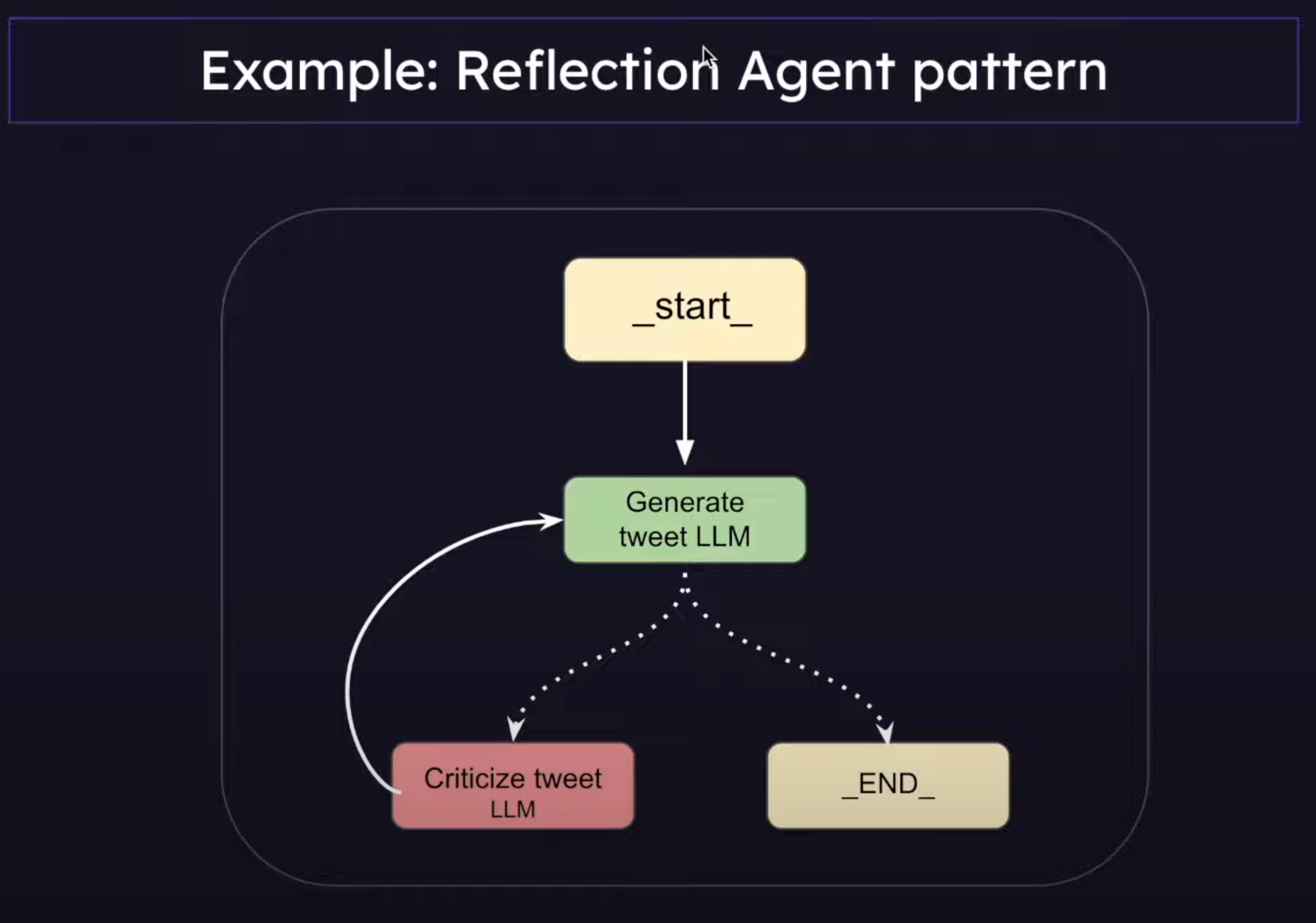
Levels of Autonomy in LLM application
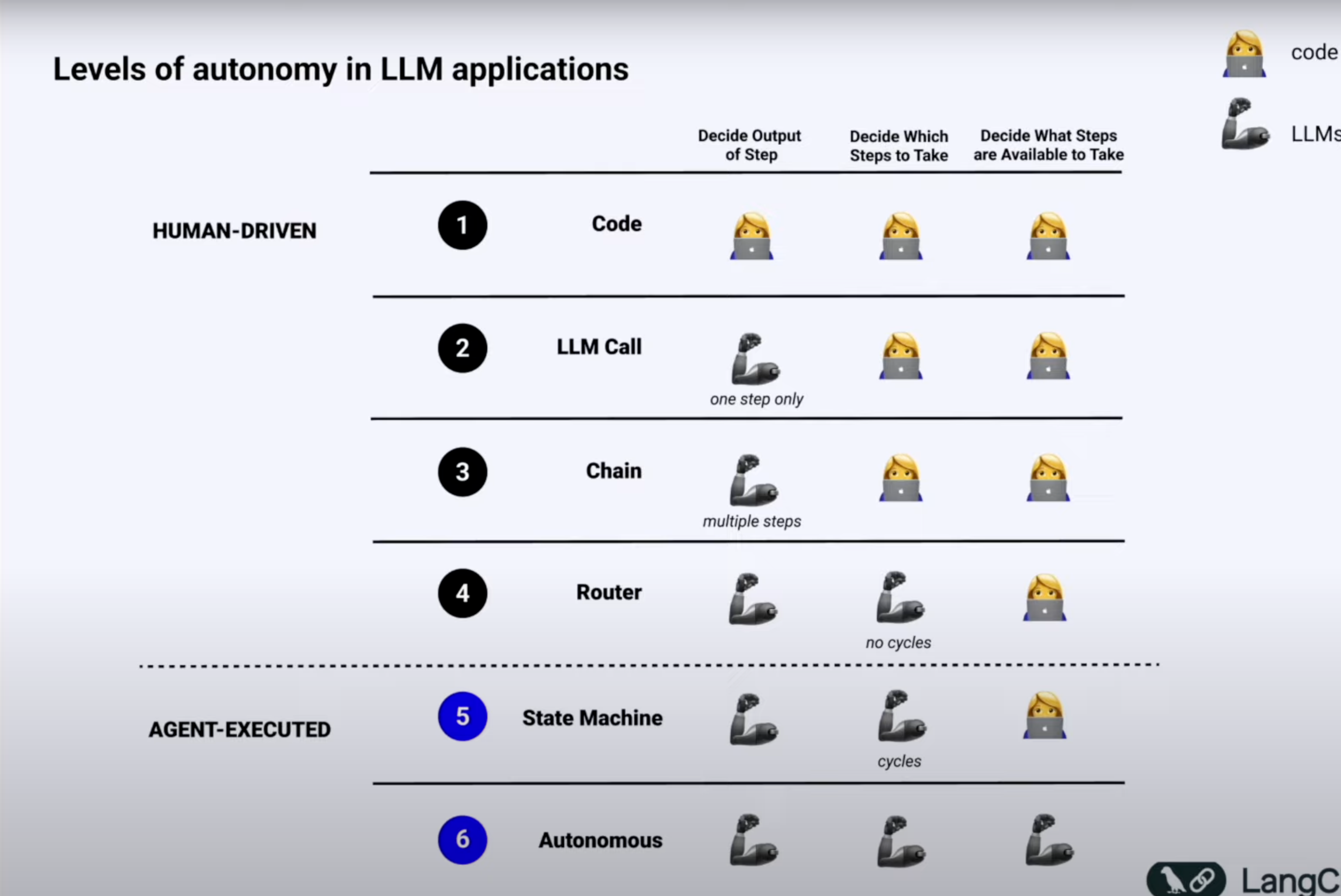
1. Code
Code has zero autonomy and is 100% deterministic
We all know that everything is hard-coded and it is not even really a cognitive architecture.
Disadvantage:
The problem? You’d need to write rules for every possible scenario - making it impossible to handle real-world complexity.
2. LLM call
A single LLM call means your app basically does one main thing - you give it an input, it processes it, and gives you back an output.
Think of chatbots that just take your message and respond, or apps that translate text.
This was a huge leap from hard-coded rules, even though it’s still pretty simple and is only in the 2nd stage of autonomy.
Disadvantage:
Trying to get everything done in one shot often leads to confused or mixed-up responses - just like how a single person can’t be an expert at everything.
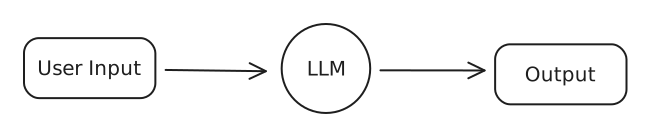
Example User Input: You are an expert LinkedIn post writer. Write me a post on “AI Agents Taking over Content Creation”
3. Chains
Think of chains like having multiple specialists instead of one generalist. Instead of asking one AI to do everything, we break it down into steps where each AI is really good at one thing.
Imagine a customer service chatbot: The fist AI read your complaint and figures out exactly what product you’re talking about.
The second AI finds the right solution from the company’s help docs, and the third AI turns that solution into a friendly response.
Each step is simple, but together they create a much smarter system than a single LLM call could.
This way we can handle big tasks, breaking down large problems into small pieces.
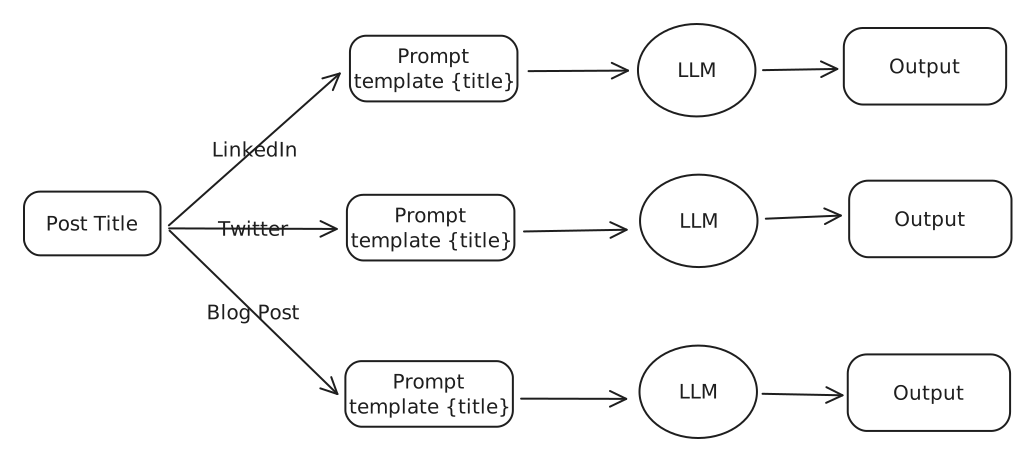
Disadvantage:
These fixed sequences are like a rigid assembly line - they always follow the same steps defined by the human.
4. Router
Now this is where it gets interesting - routers are like traffic cops for your AI. Instead of having a fixed path like in chains, the AI itself decides what steps to take next.
Imagine a personal assistant bot : when you ask it something, it first figures out if you need help with scheduling, research, or calculations, then routes your request to the right tool or chain for the job.
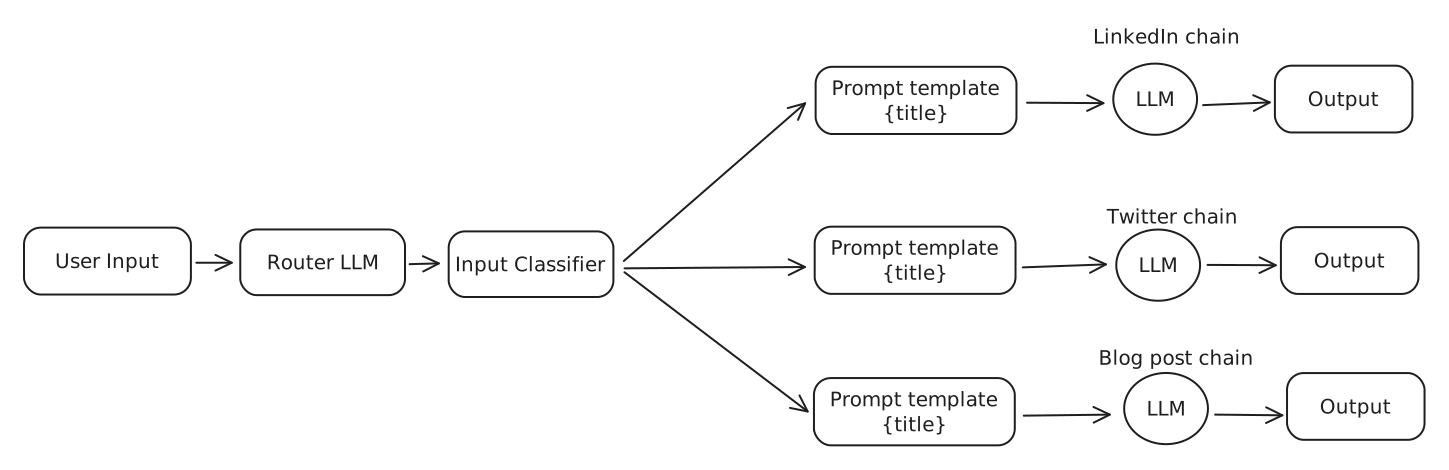
Disadvantage:
While it can choose different paths, it still can’t remember previous conversations or learn from mistakes.
5. State Machine (Agent)
This is combining the previous level (router) but with loops. Agent ~= control flow controlled by an LLM
This involves features like:
- Ability to have human-in-loop, ask for approval before moving on
- Multi-agent systems
- Advanced memory management.
- Go back in history and explore better alternate paths.
- Adaptive Learning
And many more, and this is where LangGraph comes into the picture
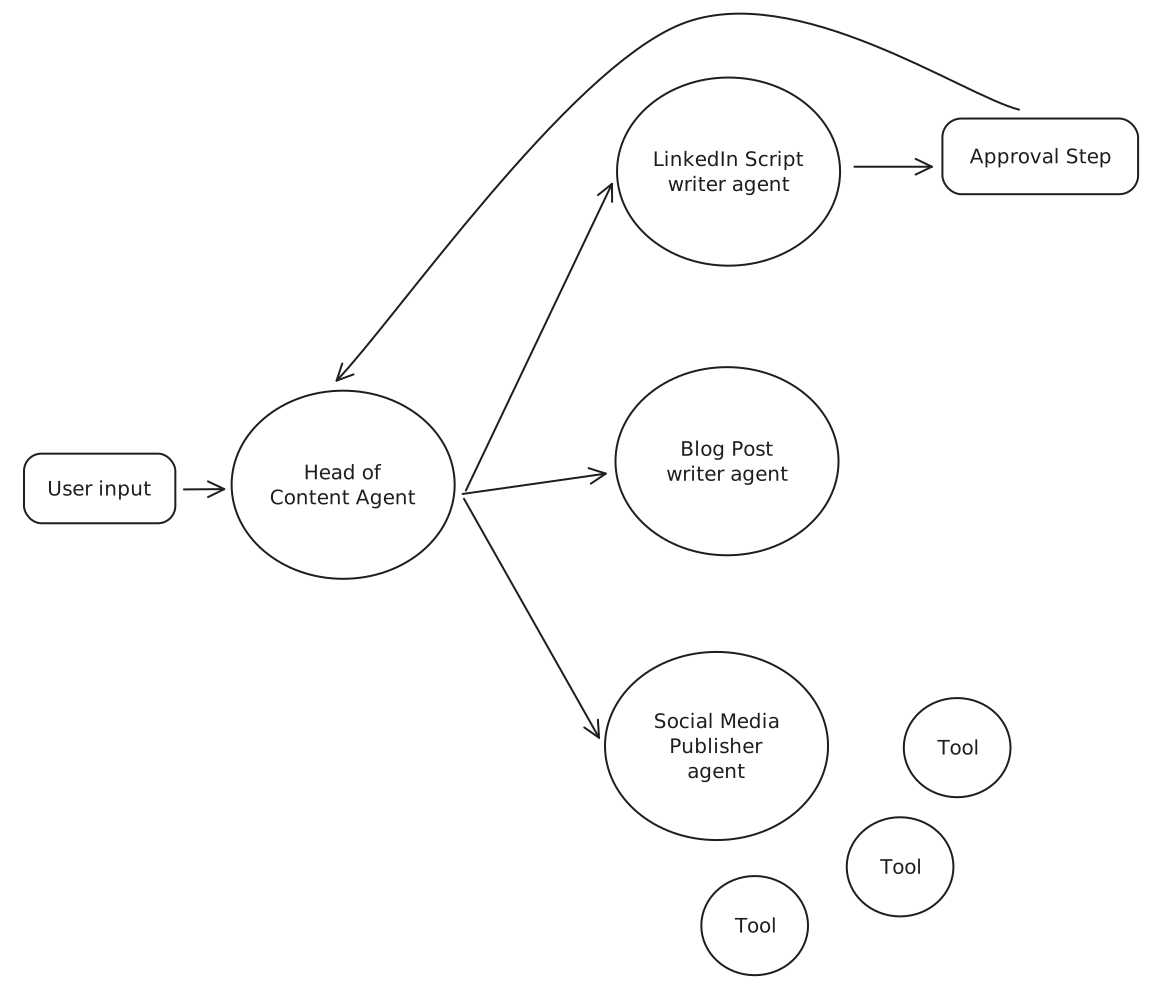
Chain/Router VS Agent
A Chain or even a router is one directional. Hence, it is not an agent
Whereas in a state machine, we can go back in the chain, have cycles and the flow is controlled by the LLM, hence it is called an Agent.
AI Agents & Tools
Agents: Think of Agents as the “problem-solvers” of the AI world. Agents are capable of thinking on their own. In other words, it’s AI that can make autonomous decisions. In the case of Chains and Router, they follow our specific instruction. But with agents, they actually take it a step further. They can decide for themselves what steps to take on their own.
What are tools then? Tools are specific functions that Agents can use to complete tasks
Just like a chef’s kitchen tools (knife for cutting, oven for baking, etc), tools are the special abilities we give to AI - like giving it a calculator tool, or a search engine tool, or a calendar tool.
ReACT pattern
Think: LLM first thinks about the user prompt/problem Action: LLM decides if it can answer by itself or if it should use a tool Action Input: LLM provides the input argument for the tool Here, langChain executes the tool and returns the output to the LLM Observer: LLM observe the result of the tool Final Answer: “This is your final answer.”
Implementation of LangChain
Code:
from langchain_google_genai import ChatGoogleGenerativeAI
from dotenv import load_dotenv
from langchain.agents import initialize_agent, tool
from langchain_community.tools import TavilySearchResults
import datetime

load_dotenv()


# Define LLM Model
llm = ChatGoogleGenerativeAI(model='gemini-1.5-pro')
# result = llm.invoke("Give me a tweet about today's weather in Vadodara.")


# Define tools
search_tool = TavilySearchResults(search_depth='basic')

# User defined tool:
	# @tool: it defines the function is a tool
	# """ : The comments are are necessory to tell the LLM about the tool.
@tool
def get_system_time(format: str = "%Y-%m-%d %H:%M:%S"):
    """Returns the current system time formatted according to the provided format string."""
    current_time = datetime.datetime.now()
    formatted_time = current_time.strftime(format)
    return formatted_time


# List all the tools
tools = [search_tool, get_system_time]


# Initialize the agent with LLM model, tools that are needed and agent type
# Agent type:
	# "zero-shot-react-description": Giving no prior Knowledge and agent has to decide everything.
agent = initialize_agent(tools=tools, llm=llm, agent="zero-shot-react-description", verbose=True)


# Invoke the agent
agent.invoke("Give me a tweet about today's weather in Vadodara.")
# agent.invoke("When was SpaceX's last launch and how many days ago was that from this instant.")Output:
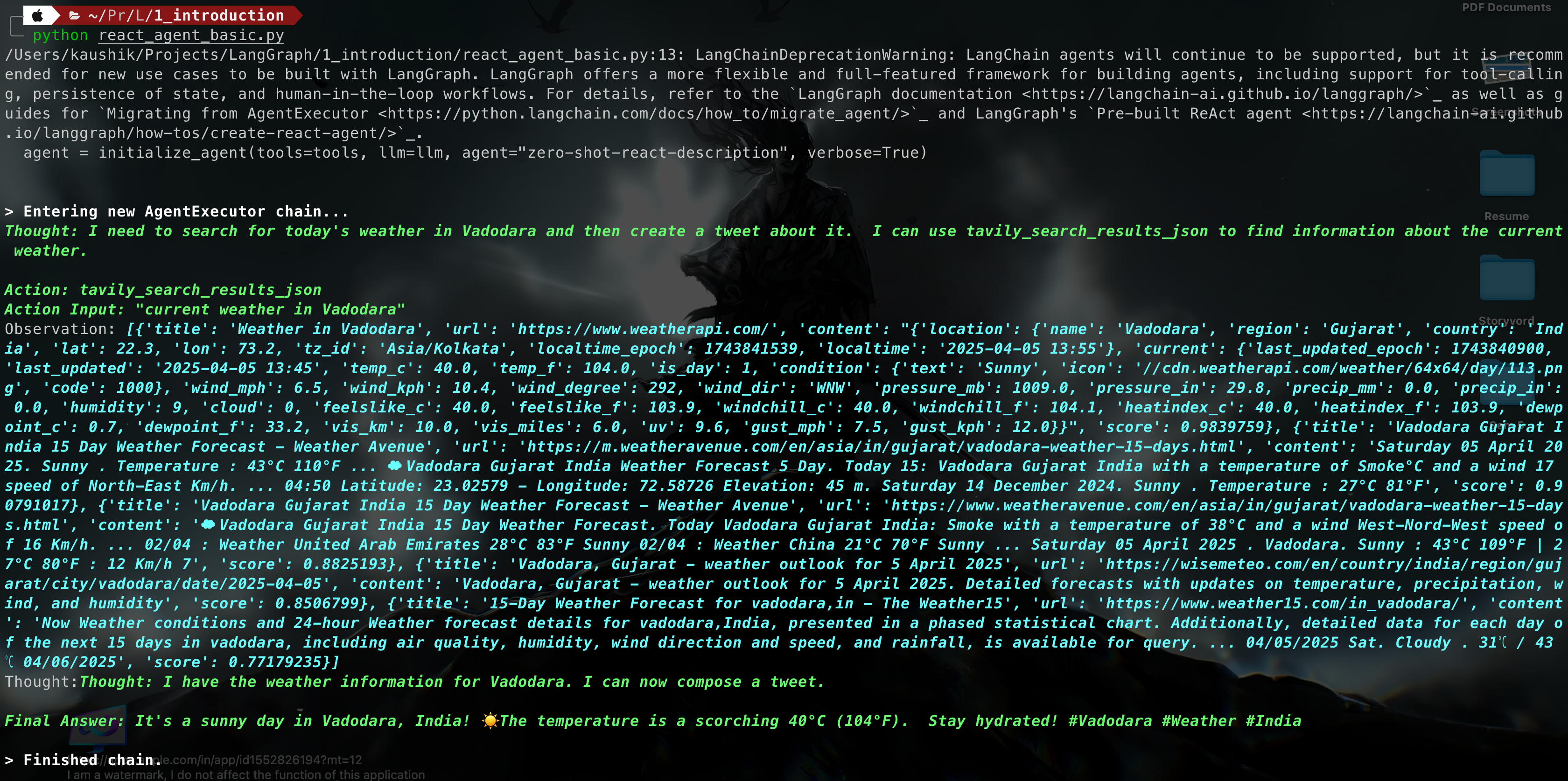
Advantage
- Flexible : If the given tool is available it will select that tool.
- It can run multiple tool as required to generate the response according to the request prompt.
Disadvantage
Infinite loop:
- We did not define the tools correctly.
- The LLM is not capable enough
- The prompting doesn’t define a clear end condition
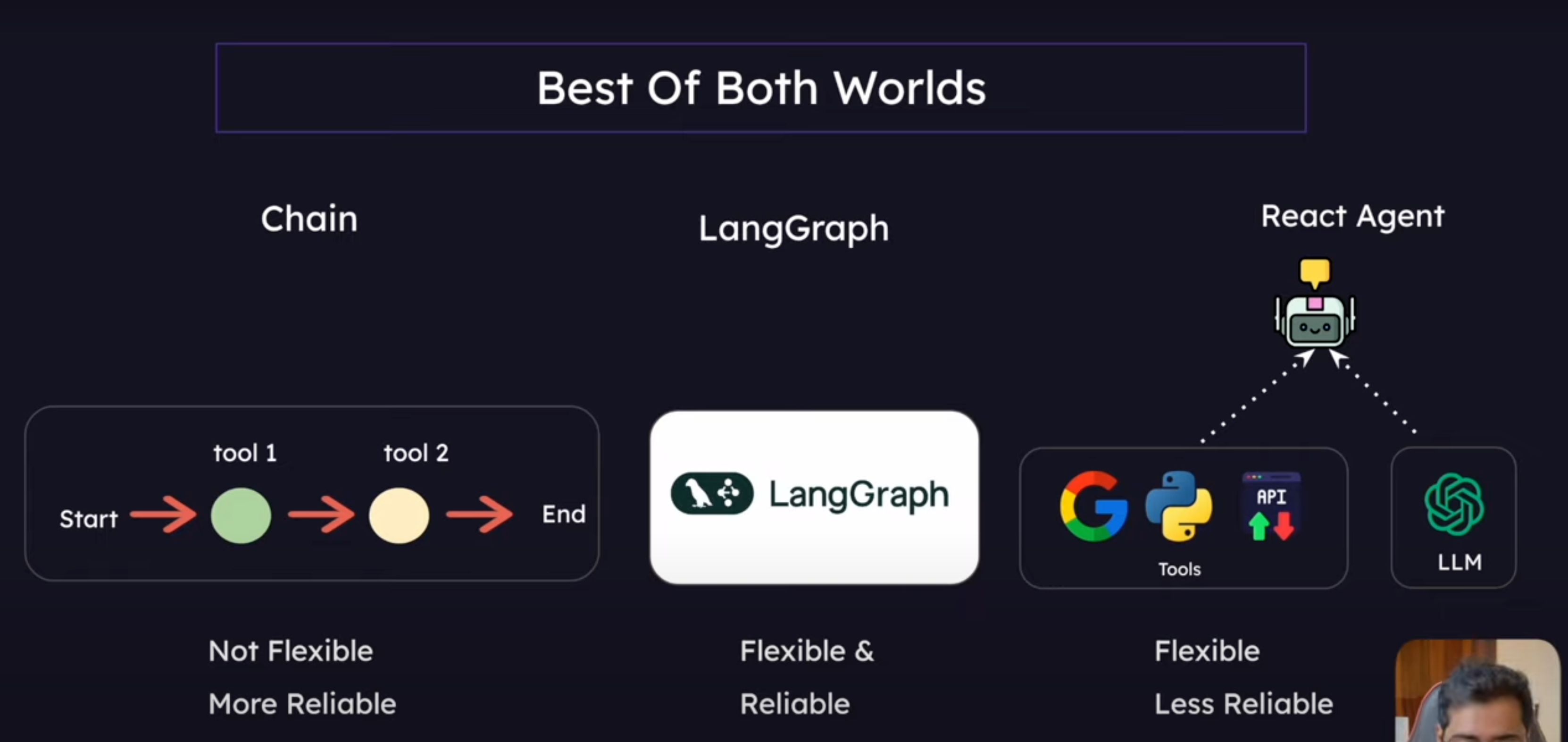
What is LangGraph?
A framework for building controllable, persistent agent workflows with build-in support for human interaction, streaming, and state management. It uses the Graph Data Structure to achieve this
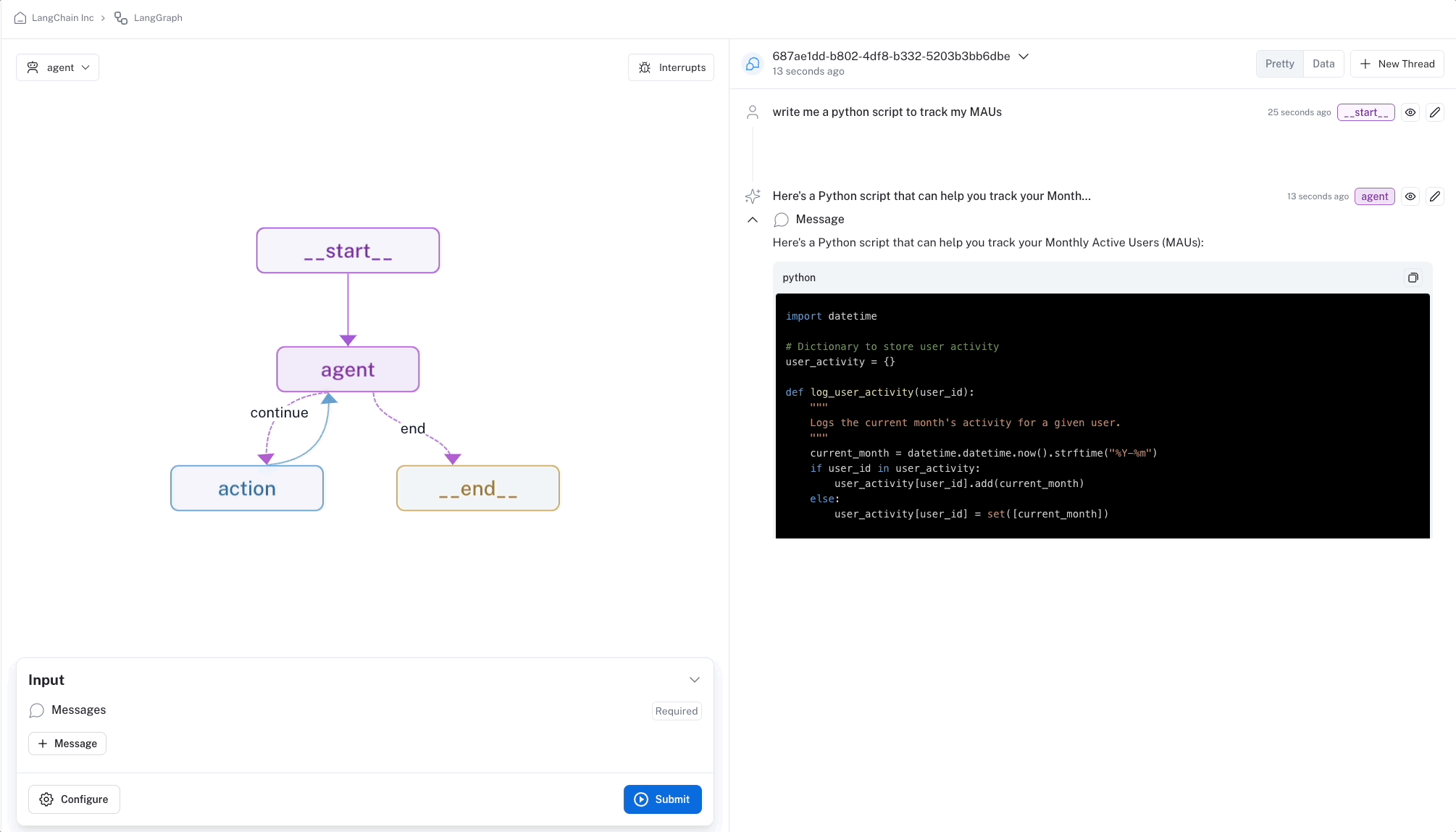
Key Features of LangGraph
- Looping and Branching Capabilities : Supports conditional statements and loop structures, allowing dynamic execution paths based on state.
- State Persistence: Automatically saves and manages state, supporting pause and resume for long-running conversations.
- Human-Machine Interaction Support: Allows inserting human review during execution, supporting state editing and modification with flexible interaction control mechanisms.
- Streaming Processing: Supports streaming output and real-time feedback on execution status to enhance user experience.
- Seamless Integration with LangChain: Reuses existing LangChain components, supports LCEL expressions, and offers rich tool and model support.
Core Components of LangGraph
- Nodes
- Edges
- Conditional Edges
- State