Reflection Agents
- Reflection : Looking at yourself or your actions
- Example:
- After giving a presentation, thinking about how it went
- After writing an email, reading it again to check if it’s clear.
- After making a decision, considering if it was the right choice.
What is a reflection-agent pattern?
A reflection agent pattern is an AI system pattern that can look at its own output and think about them/make it better- just like how we look at ourself in a mirror and self-reflect, make ourself better.
A basic reflection agent system typically consists of:
- A generator agent
- A reflector agent
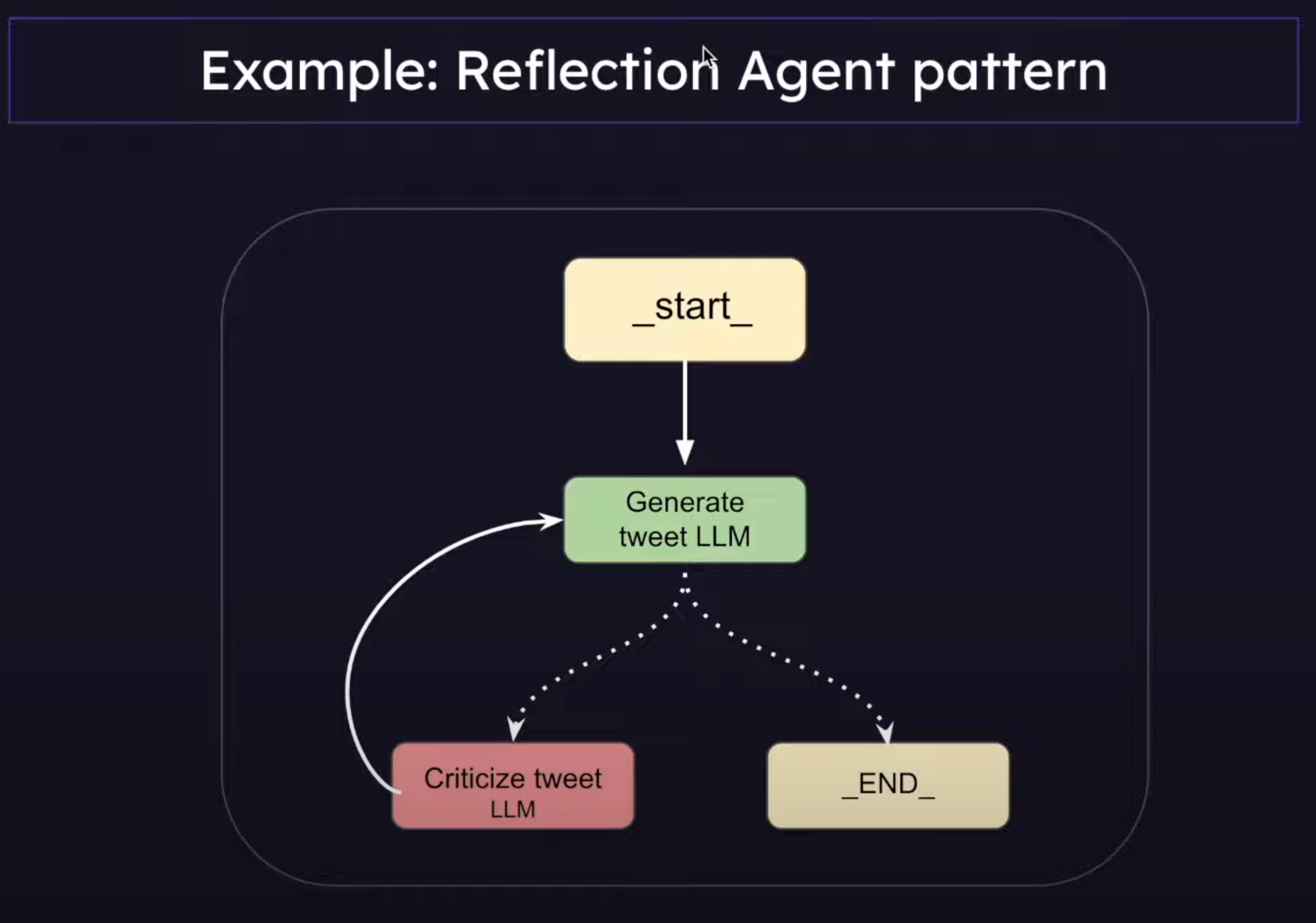
Difference between Chain and LangGraph(Reflection Agent)
| System 1 | System 2 |
|---|---|
| Fast | Slow |
| Subconscious | Conscious |
| Automatic | Effortful |
| Everyday Decisions | Complex Decisions |
| Error Prone | Reliable |
- System 1 is a Prompt Chain
- System 2 is a Reflection Agent
Types of Reflection Agents in LangGraph
- Basic Reflection Agents
- Reflexion Agents
- Language Agent Tree Search (LATS)
1. Basic Reflection Agents
What is a Message Graph?
-
It is a class that LangGraph provides that we can use to orchestrate the flow of messages between different nodes.
-
Example use cases: Simple routing decisions, simple chatbot conversation flow.
-
If you just want to pass messages along between nodes, then go for MessageGraph.
-
If the app requires complex state management, we have StateGraph.
-
It maintains a list of messages and decides the flow of those messages between nodes.
-
Every node in MessageGraph receives the full list of previous messages as input.
-
Each node can append new messages to the list and return it
-
The updated message list is than passed to the next node
Implementation
from langchain_core.prompts import ChatPromptTemplate, MessagesPlaceholder
from langchain_google_genai import ChatGoogleGenerativeAI
from dotenv import load_dotenv
import os

load_dotenv()

generation_prompt = ChatPromptTemplate.from_messages(
    [
        (
            "system",
            "You are a twitter techie influencer assistant tasked with writing excellent twitter posts."
            " Generate the best twitter post possible for te user's request."
            " If the user provides critique, respond with a revised version of your previous attempts.",
        ),
        # previous convo history
        MessagesPlaceholder(variable_name="messages"),
    ]
)

reflection_prompt = ChatPromptTemplate.from_messages(
    [
        (
            "system",
            "You are a viral twitter influncer grading a tweet. Generate critique and recommendations for the user's tweet."
            "Always provide detailed recommendations, including request for length, virality, style, etc.",
        ),
        # previous convo history
        MessagesPlaceholder(variable_name="messages"),
    ]
)


llm = ChatGoogleGenerativeAI(model="gemini-1.5-flash", api_key=os.getenv("GOOGLE_API_KEY"))

# Pipe the prompt with llm, is part of LangChain’s LCEL (LangChain Expression Language). It’s a powerful and clean way to build chains by piping the output of one component into the next — similar to how Unix pipes work.
# Takes the output of reflection_prompt and Pass it as input to the llm.
generation_chain = generation_prompt | llm
reflection_chain = reflection_prompt | llm


from typing import List, Sequence
from dotenv import load_dotenv
from langchain_core.messages import BaseMessage, HumanMessage
from langgraph.graph import END, MessageGraph
from chains import generation_chain, reflection_chain

load_dotenv()

graph = MessageGraph()

REFLECT = "reflect"
GENERATE = "generate"

def generate_node(state):
    return generation_chain.invoke({
        "messages": state
    })

def reflect_node(state):
    response = reflection_chain.invoke({
        "messages": state
    })

    # Trick the AI into thinking the critique is from human.
    # Not necessory
    return [HumanMessage(content=response.content)]


graph.add_node(GENERATE, generate_node)
graph.add_node(REFLECT, reflect_node)


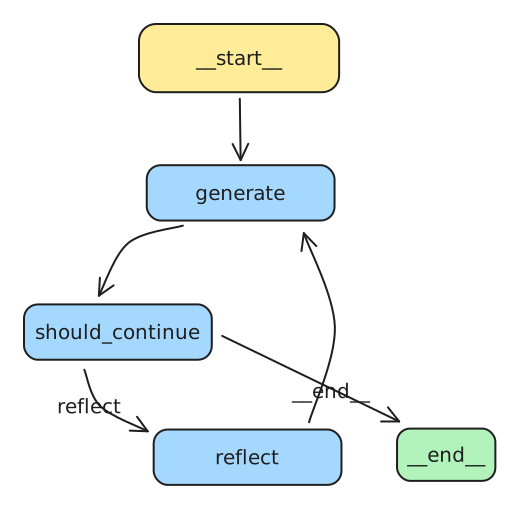
graph.set_entry_point(GENERATE)


def should_continue(state):
    if(len(state) > 6):
        return END
    return REFLECT


graph.add_conditional_edges(GENERATE, should_continue)
graph.add_edge(REFLECT, GENERATE)

app = graph.compile()


# pip install grandalf
# Verify the graph Graphically
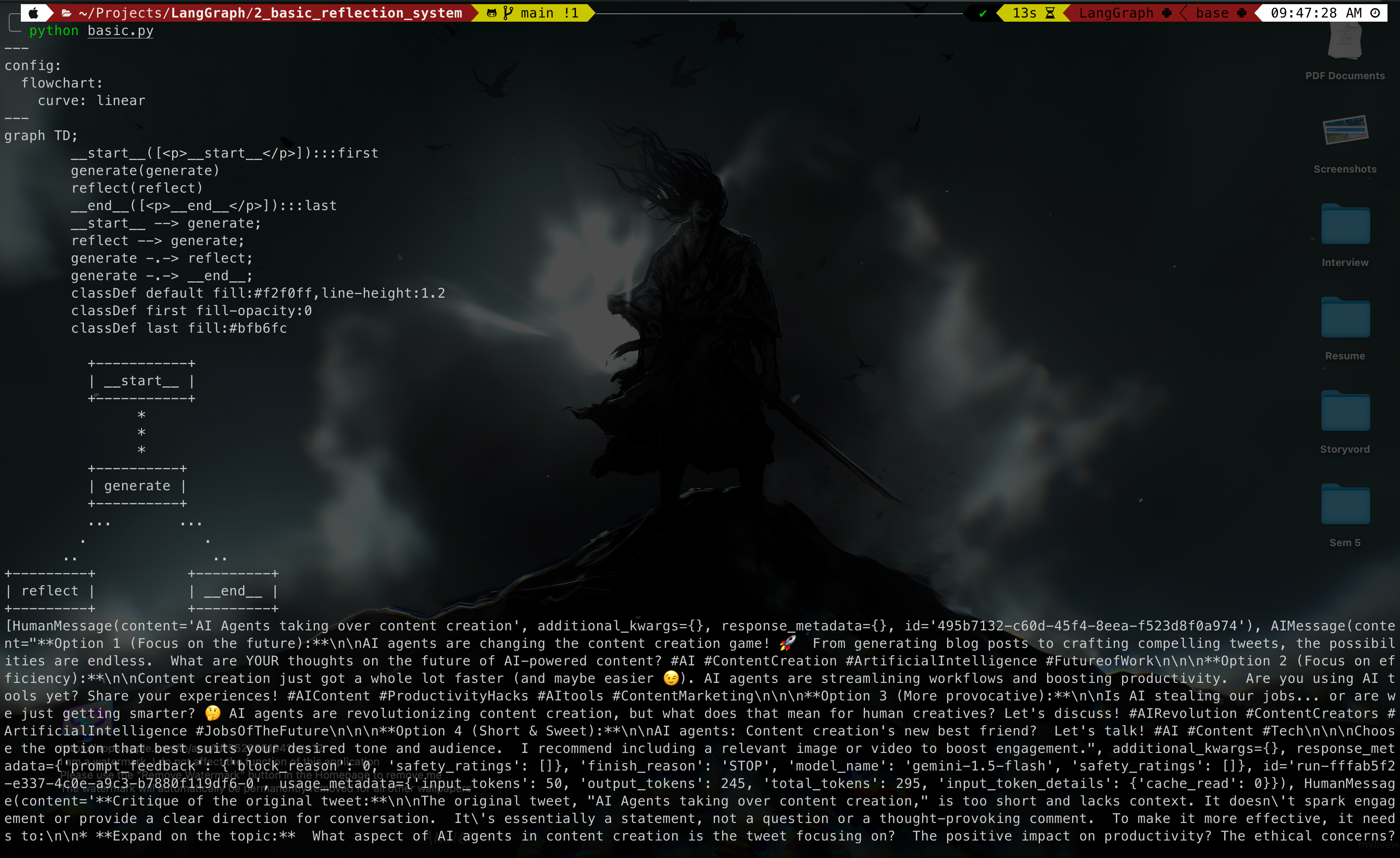
print(app.get_graph().draw_mermaid())
app.get_graph().print_ascii()


response = app.invoke(HumanMessage(content="AI Agents taking over content creation"))
print(response)
Output